International
 IPTV

 Ai Tools
 Content Writing Tools
 Plagirism Checker Tools




 Windows
 Office
 Anti Virus


 Facebook
 Instagram
 Tiktok
 Twitter

 Theme
 Plugin

 Xbox
 Playstation
 Rockstar
 PUBG
 PUBG UC
 Royal Pass





Live TV, Movies or Downloads? Choose the Right Section

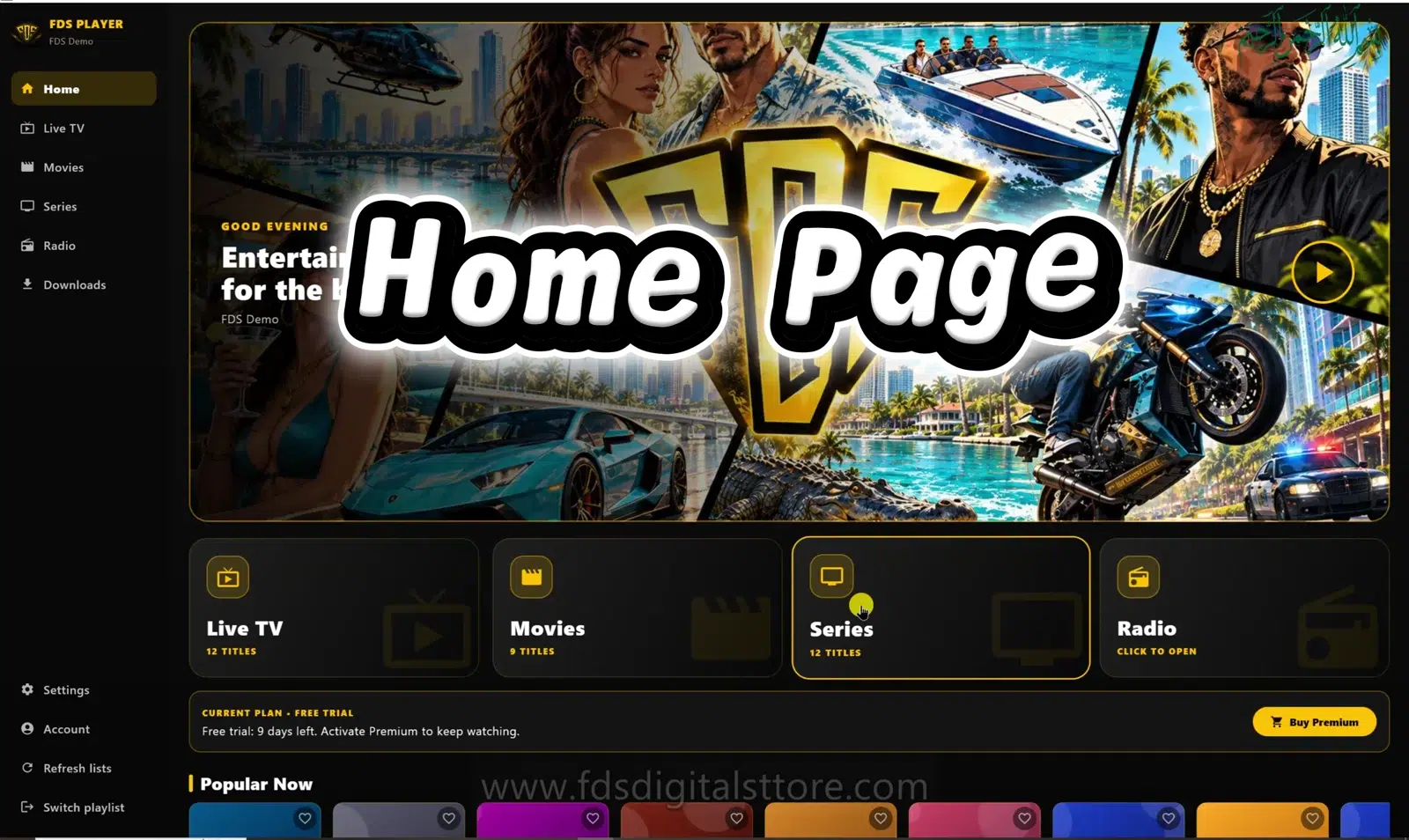
FDS IPTV Player Live TV, Movies, Series and Downloads are not four names for the same thing. Knowing the difference makes setup and troubleshooting simpler. Start by deciding whether you want to watch a programme as it is broadcast, choose an on-demand item or play a previously saved download.
Live TV: follow a running stream
Live TV is for channels made available by your authorised source. You normally join the current stream rather than selecting a complete file from the beginning. Do not assume pausing, rewinding or recording is available unless the source and your app build specifically support it.
If a channel fails but on-demand titles work, report that distinction. It narrows the problem considerably compared with saying the entire player is broken.
Movies: choose an on-demand item
The Movies section is intended for film-style on-demand browsing. Your playlist determines available items and metadata. A poster in a demonstration is not a promise that the title comes with the player or is available from every provider.
Series: browse episodic content
Series can include seasons and episodes when the supported source provides that structure. A basic M3U list may not carry the same details as a server/account catalogue. If episode information is missing, check the connection type and source before blaming the screen layout.
Downloads: play prepared offline items
In the reviewed PC edition, Downloads is a local library for supported saved movies or episodes. The app describes that library as encrypted on the PC and playable within FDS IPTV Player. Wait until an item is ready before expecting offline playback.
This is separate from Live TV. The existence of a Downloads menu does not mean every channel can be recorded or every title can be exported.
A quick way to choose
- Watch what is on now: try Live TV.
- Choose a film: open Movies.
- Pick an episode: open Series when your source supports it.
- Watch an already saved item: open Downloads in the supported build.
Why is a section empty?
Your playlist may not contain that type of media, or its metadata may not support the structure. Confirm the active source and account status. Refresh only after checking the source; refreshing does not create a subscription.
Are these sections identical on every device?
No. FDS IPTV Player for mobile, compatible LED TV and PC/laptop can have different layouts and feature availability. The screenshot is the PC edition.
Does buying premium unlock a provider’s catalogue?
Do not assume so. A player licence and content-provider access are separate purchases or permissions.
Explore FDS IPTV Player
Check current compatibility, builds and setup information on the official FDS IPTV Player website. Need help choosing the correct version? Contact FDS support with your device type—never post private playlist credentials.